
Dataverse & Database Integration
Dataverse is the database behind the Power Platform. Getting it right means designing tables and relationships that match how the business actually works, then setting security so people see what they should. Most performance and reporting problems in Power Platform projects trace back to this layer.
Who this is for
- Teams whose apps each keep their own copy of the same customer or site list.
- Businesses where two reports on the same question return two different numbers.
- Anyone who needs row-level control over who sees which records.
- Projects on SharePoint Lists that have outgrown what lists can do.
What this looks like in practice
Designing the model before the app
Tables, columns, relationships, and choice sets worked out against the real process first. Retrofitting a data model under a built app is expensive, and it is the most common reason a Power Platform project has to be redone.
Security roles and row-level access
Who can read, write, and delete which records, scoped by team, business unit, or ownership. This is enforced at the data layer, so it holds no matter which app or report reaches the data.
Migrating off SharePoint Lists
Lists work until they do not: view thresholds, weak relationships, and no real referential integrity. Moving to Dataverse keeps the data and adds the constraints that stop it degrading.
Connecting SQL Server and existing databases
Where the source of truth stays in an existing database, the Power Platform reads and writes against it directly rather than keeping a second copy that drifts.
What I build it with
The specific components involved, so you can judge the fit rather than take my word for it.
- Dataverse tables and relationships
- Security roles
- Business rules
- Calculated and rollup columns
- FetchXML
- SharePoint Lists
- Microsoft SQL Server
- Dataflows
How we’d work together
01
A call, at no cost
30 minutes on the process that is causing the problem. You get a straight answer on whether this is the right tool, including when it is not.
02
A scoped proposal
What gets built, in what order, and what it depends on from your side. Written down before anything starts, so there is no argument later about what was included.
03
Delivery in stages
You see working software early and often rather than at the end. I can take a project end to end or work inside your existing team, whichever fits how you are set up.
Work involving this
Facilities management - Gulf region
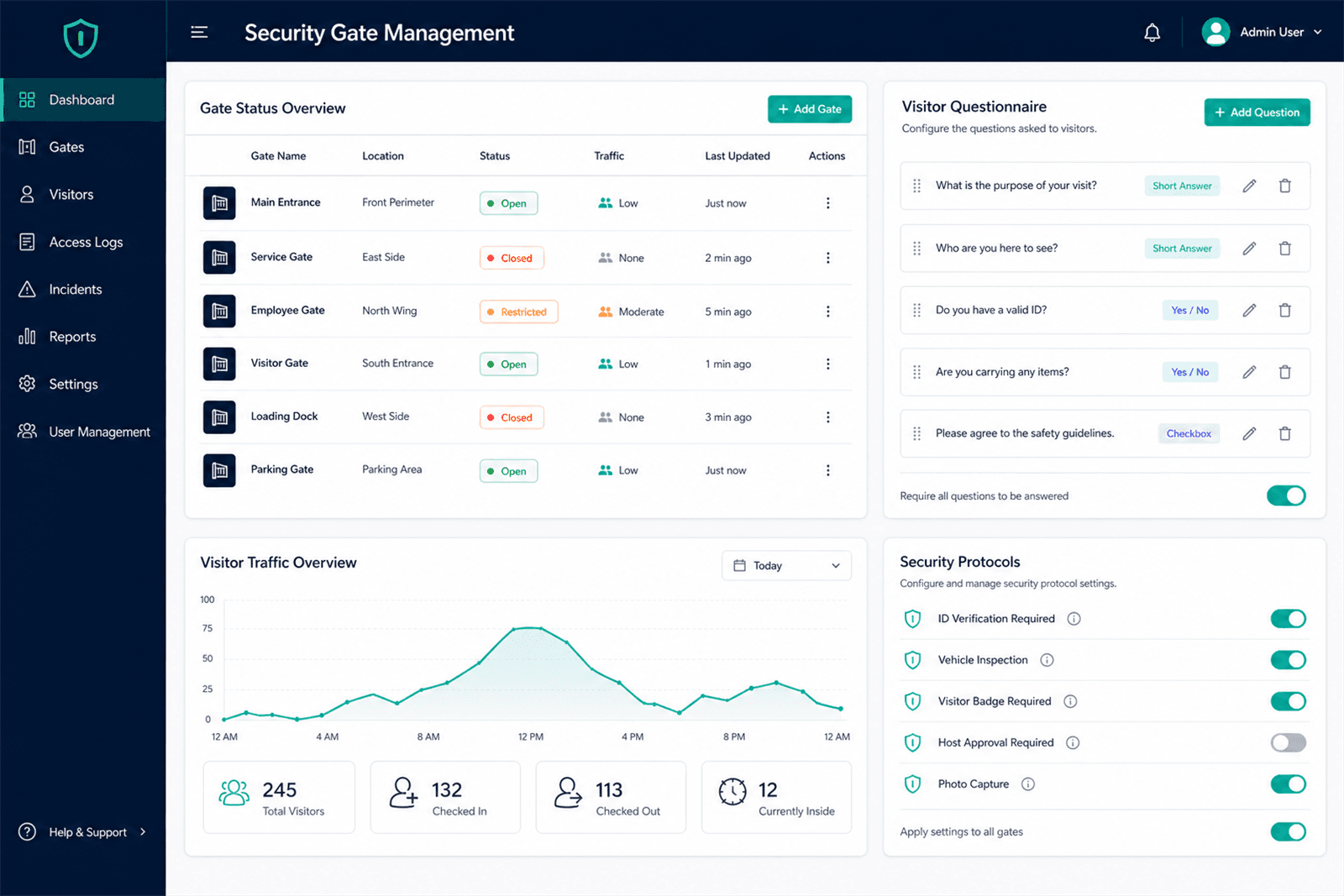
Security Guard Administration Application
An admin application for configuring gates, security protocols, and the visitor questionnaires that front-line guards work through on shift.
Industrial operations - Gulf region
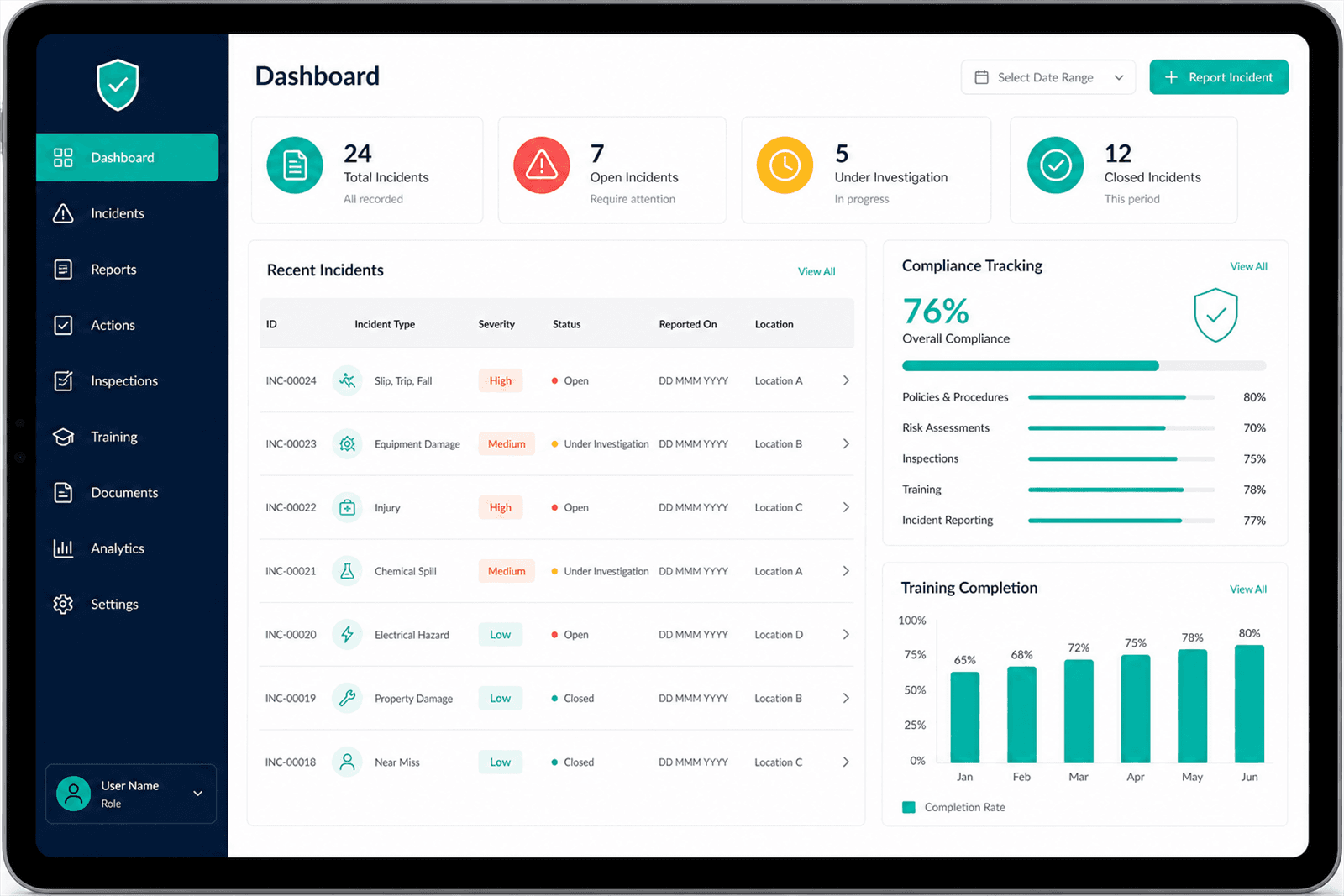
HSE Management App
One place to report incidents, track compliance obligations, and record safety training, replacing spreadsheets that were maintained separately by each site.
Common questions
Do I need Dataverse, or will SharePoint Lists do?
Lists are fine for straightforward data with light relationships and modest volume. Dataverse earns its cost when you need real relationships between tables, row-level security, server-side validation, or more records than list view thresholds handle comfortably. Starting on lists and moving later is a legitimate plan, as long as it is a plan rather than a surprise.
Why is my Power App slow against its data source?
Almost always delegation. When a filter cannot be delegated to the data source, the app pulls a capped set of records to the device and filters there, so results look wrong as well as slow. Fixing it usually means reshaping the query or the columns it filters on, not adding more hardware.
Can Dataverse and my existing database both be sources of truth?
They can coexist, but each piece of data should have one owner. I map which system owns which entity before anything is built. Two systems both claiming to own the same record is the reliable way to end up with two versions of the truth.
Last updated
Tell me what you’re trying to fix
30 minutes, no cost, no pitch. If Dataverse is the wrong answer for your problem, I’ll say so on the call.
Or reach me directly at asem@asemalabtah.com