
The problem
Containers were inspected on paper. A member of yard staff walked the container, noted damage on a form, and the form travelled back to an office where somebody typed it into a system. Sometimes that day, sometimes not.
Photographs were the weak point. They were taken on personal phones and shared through messaging apps, so by the time a damage claim was disputed, connecting a specific photo to a specific container and date meant trusting somebody’s memory. Anyone who has argued a damage claim knows how that ends.
The inspection record and the evidence for it lived in two different places, neither of which was the system of record.
The solution
One app, used at the container, that captures the inspection and its evidence in the same submission. Nothing to transcribe afterwards, because there is no paper stage to transcribe from.
Canvas App for the inspection
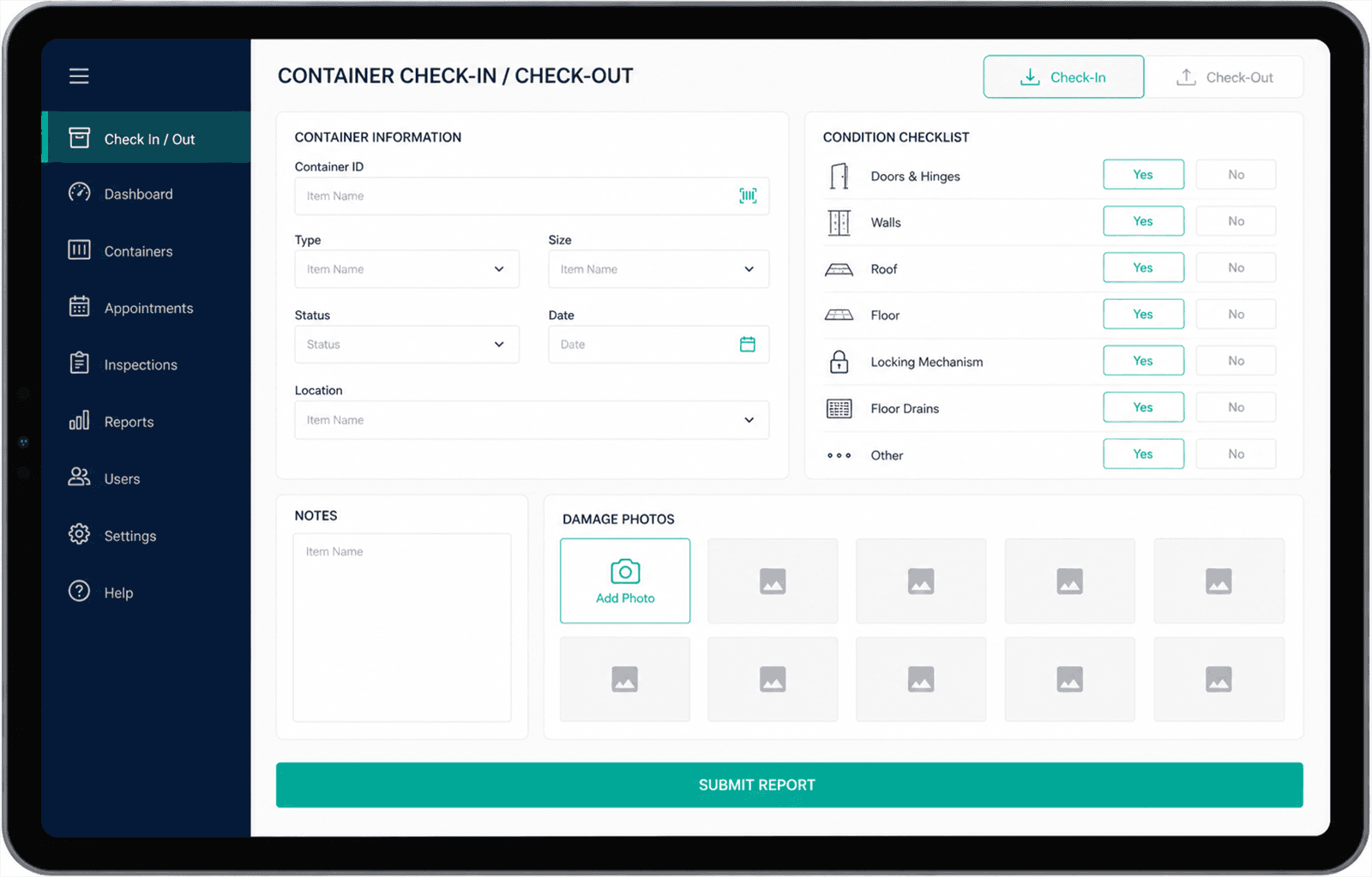
A tablet layout built around the walk-around itself: check in or check out, work down a condition checklist, flag what is damaged. The screen follows the order the job is done in rather than the order the data is stored in.
Photos attached at capture
The device camera writes straight into the record being filled in. A photo cannot exist without the container and timestamp it belongs to, which is what makes it usable as evidence later.
Dataverse as the record
Containers, inspections, and damage entries as related tables rather than rows in a sheet. The relationships are what let a container’s full history be pulled up rather than searched for.
A report screen in the app
The inspector reviews what they have recorded without leaving the app: every item, the damage logged against it, and the photos taken of it. Checking the record does not mean waiting for a document to arrive.
Power Automate for the PDF
Closing the report triggers a flow that builds a PDF covering each item and its damage photos. It goes out by email and opens in a new tab, so the person who needs a copy can download it there and then.
The result
Inspection and evidence arrive together, as one record, at the time the inspection happens. That gap between doing the work and recording it is where detail used to be lost. It is closed now, not shortened.
Because photos are bound to the container and the timestamp, a damage claim can be answered from the record instead of from recollection.
Reports come out of the same data the inspection went into, so the number in a report and the record behind it cannot disagree.
Outcomes here are described in kind rather than in numbers. I don’t have permission to publish this client’s measurements, and inventing figures to fill the gap would make the rest of this page worth less.
Last updated